DOODLES
Here’s how I use mirrors (and/or computers) to discover new worlds in tiny doodles…
First Step: DOODLE!
Start anywhere on a page of your sketchbook ~
- in the corners…
- along the edges…
- in the center of the page…
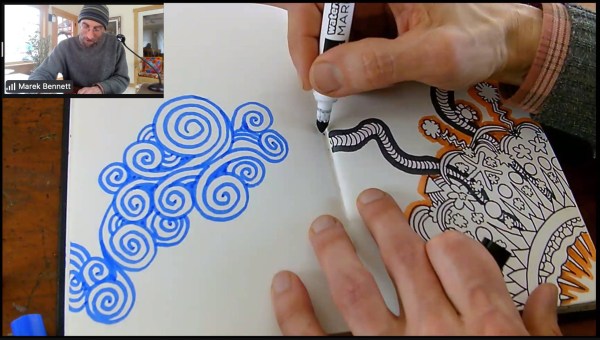
Make sure part of your doodle reaches at least 2 edges of the page. It might even spill over onto multiple pages…
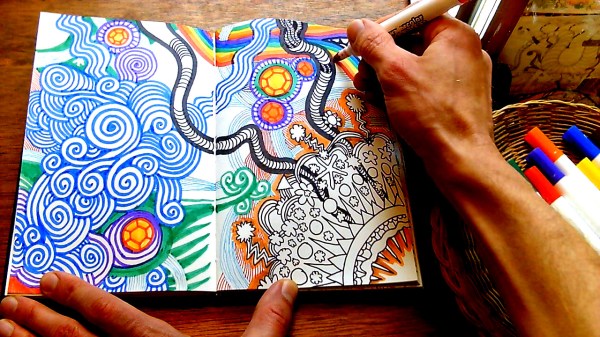
Once you run out of time (or space), your doodle is done! Now it’s time to unfold it…
UNFOLDING WITH MIRRORS:
Unfolding you mirror doodle with 1 (or 2) desktop mirrors is simple & fun!
With 1 mirror:
If you hold a small mirror up to the side of your doodle, you will get a peek at a wider “unfolded” world of surprising symmetries & designs.
Here, I’m unfolding aross the RIGHT edge of my doodle:
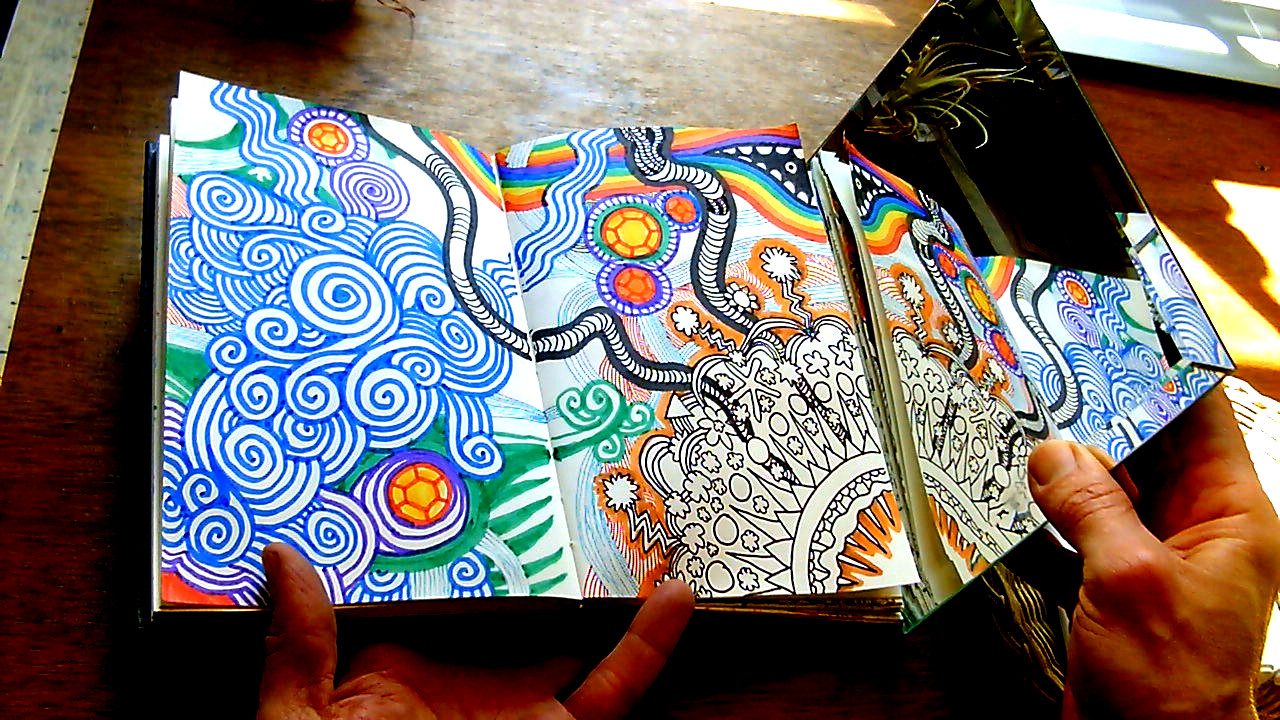
You can try “unfolding” from all sides of the same doodle to find different worlds & new surprises:

Tentacles!
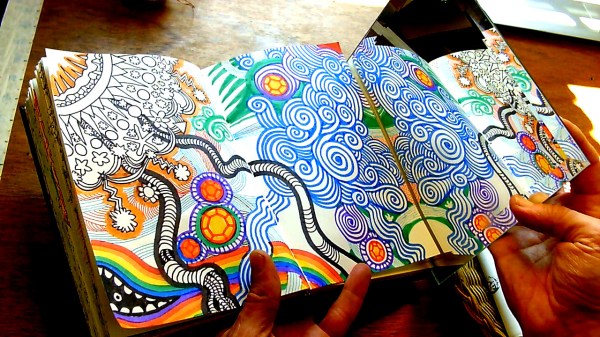
Spiral clouds!
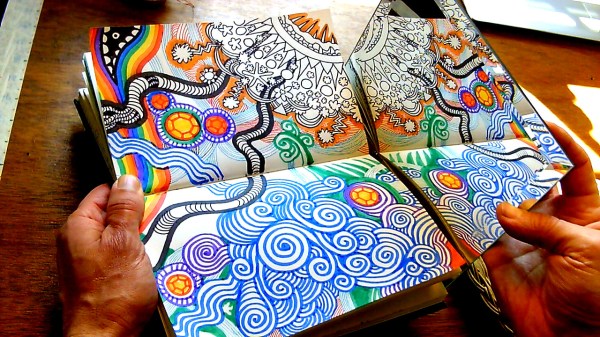
Upper starburst!
PRO TIP: You can use this “mirror check” at any point in the doodling process, to get ideas & see how the finished artwork might look.
With 2 mirrors:
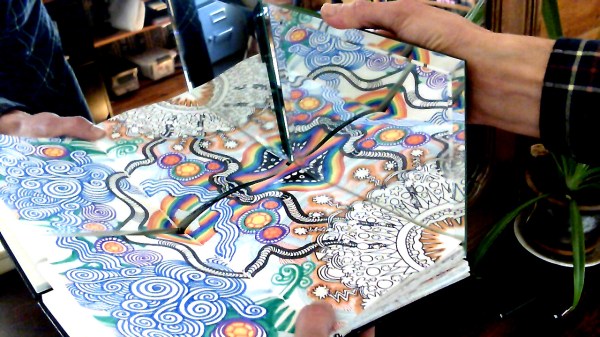
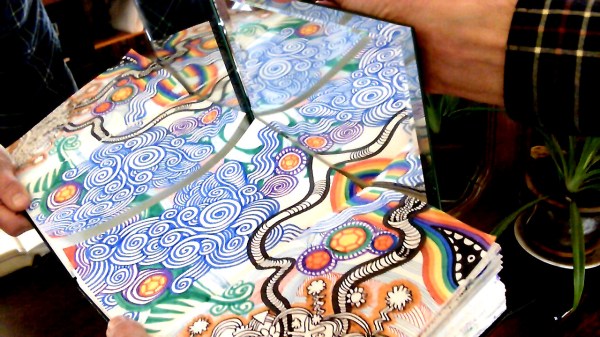
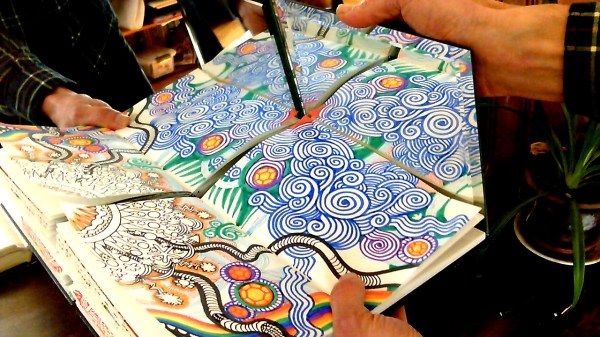
To unfold your doodle in all directions, hold the doodle & MIRROR #1 (together) up to a MIRROR #2, like so:
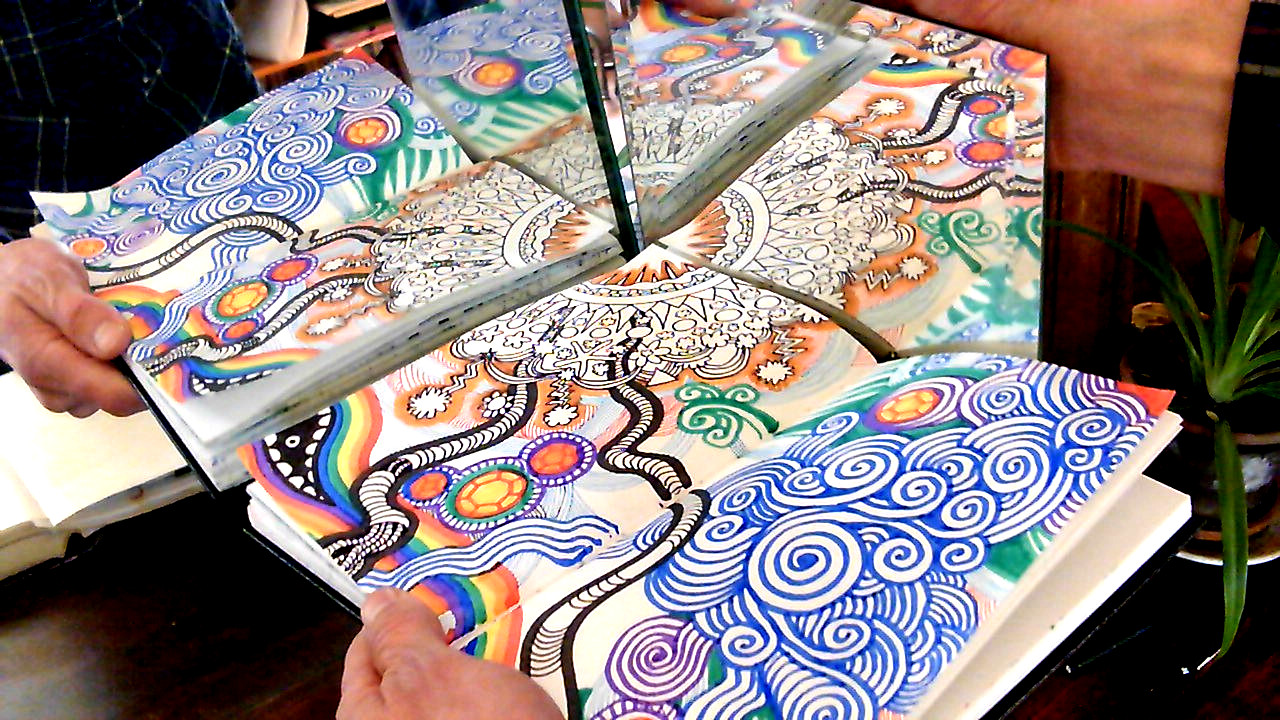
Again, you can unfold from ALL sides of the doodle — Which version is your favorite?


UNFOLDING DIGITALLY:
I use this image editing freeware to “unfold” my favorite doodles digitally. Here’s how:
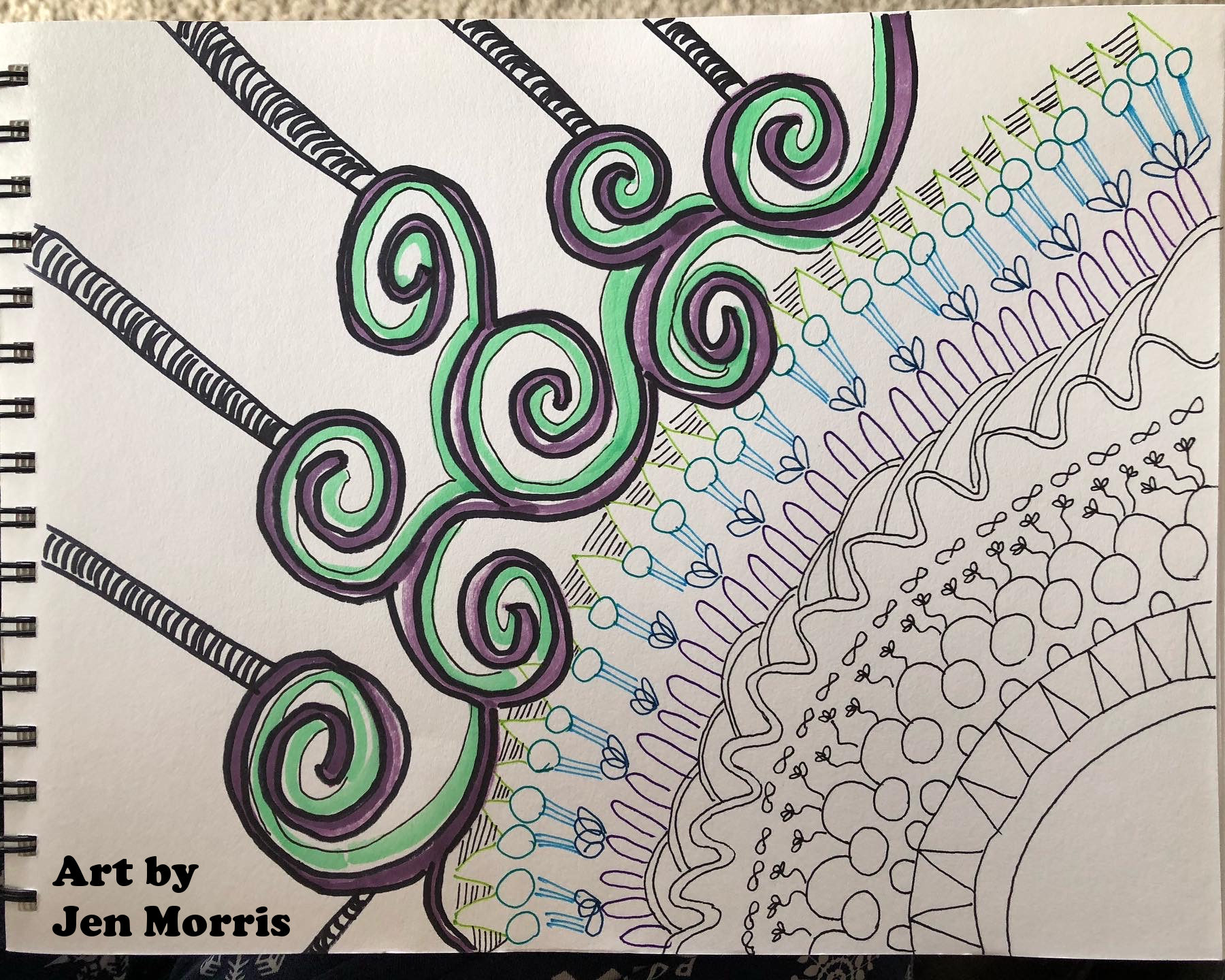
Take a clear snapshot (or scan) of your doodle:
Our sample artwork for this demo was doodled by Jen Morris @ our March 2022 “DRAWING TOGETHER” event!
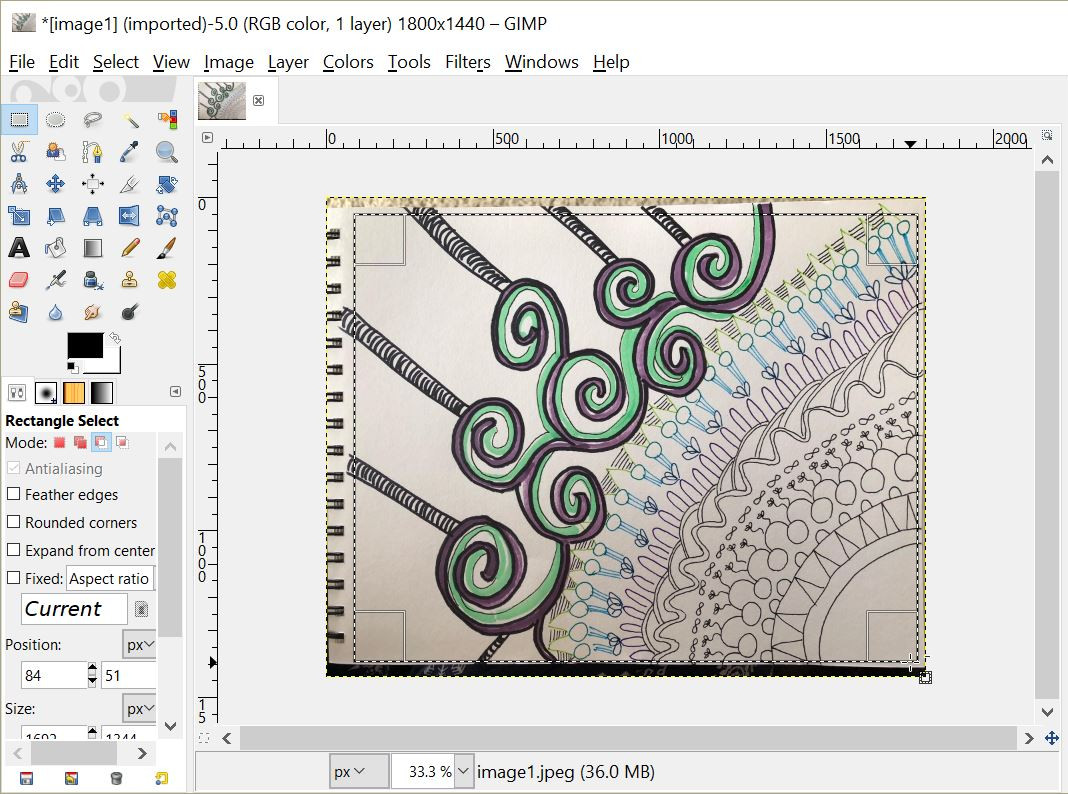
Import your image & SELECT the artwork (w/ rectangular marquee tool):
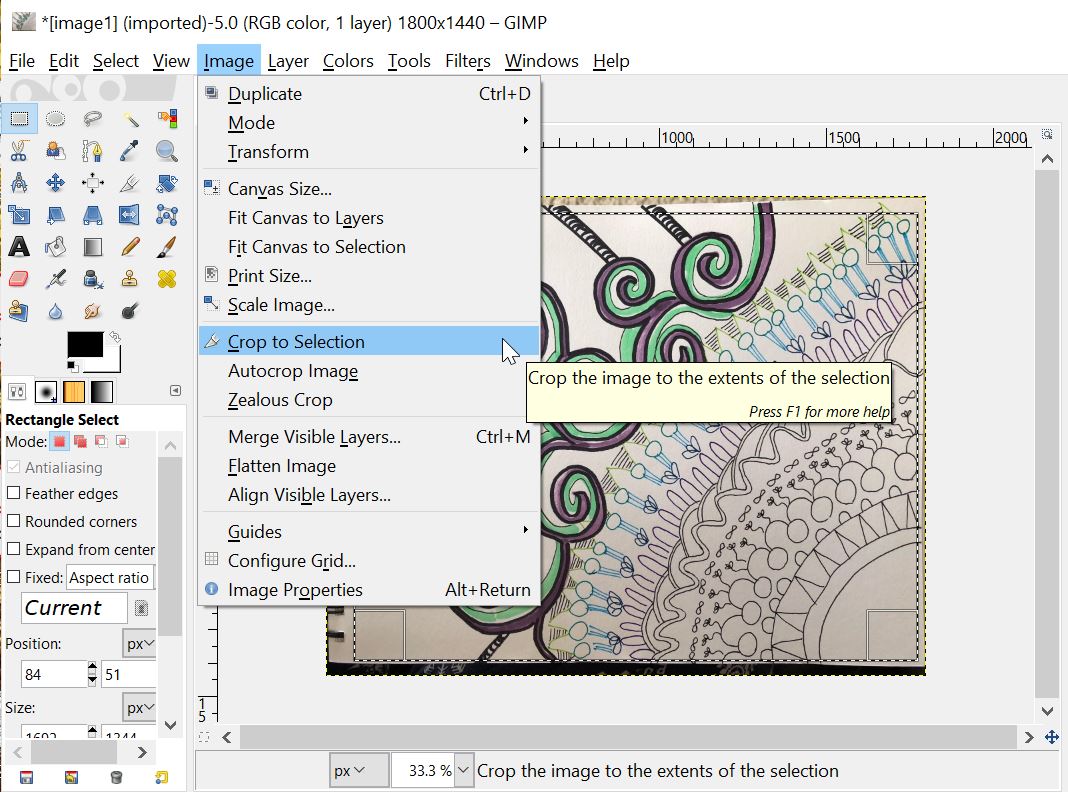
CROP to selection:
Adjust BRIGHTNESS-CONTRAST as desired:
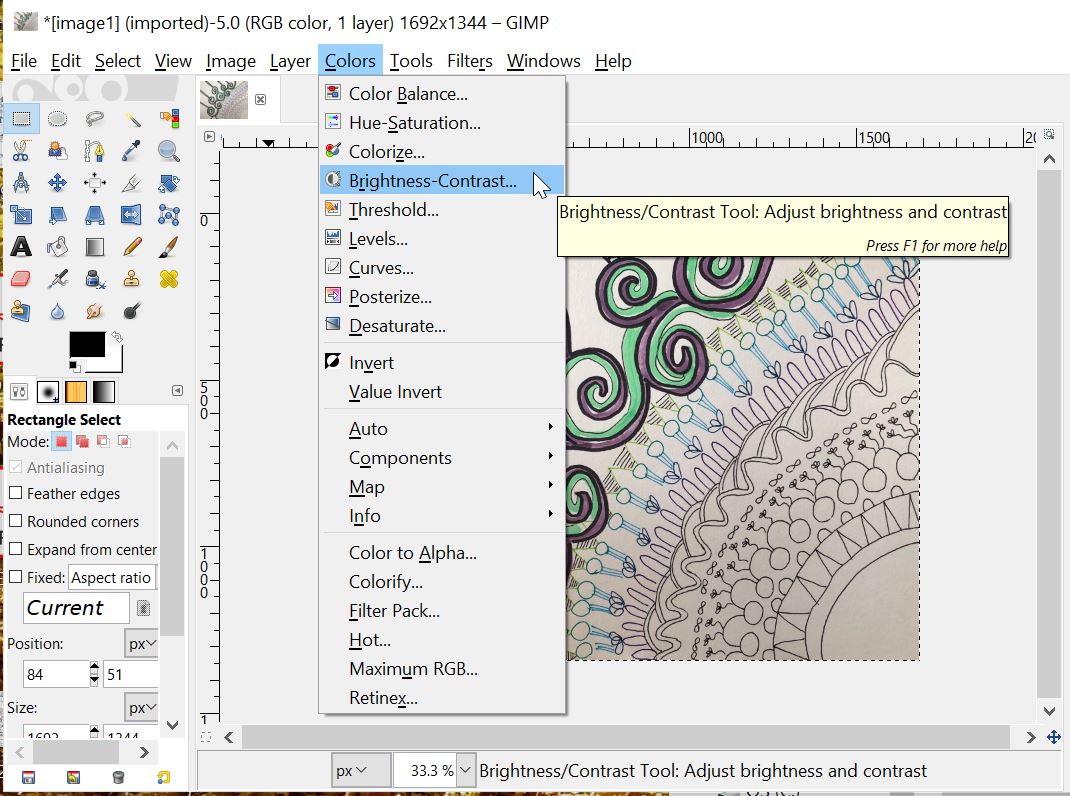
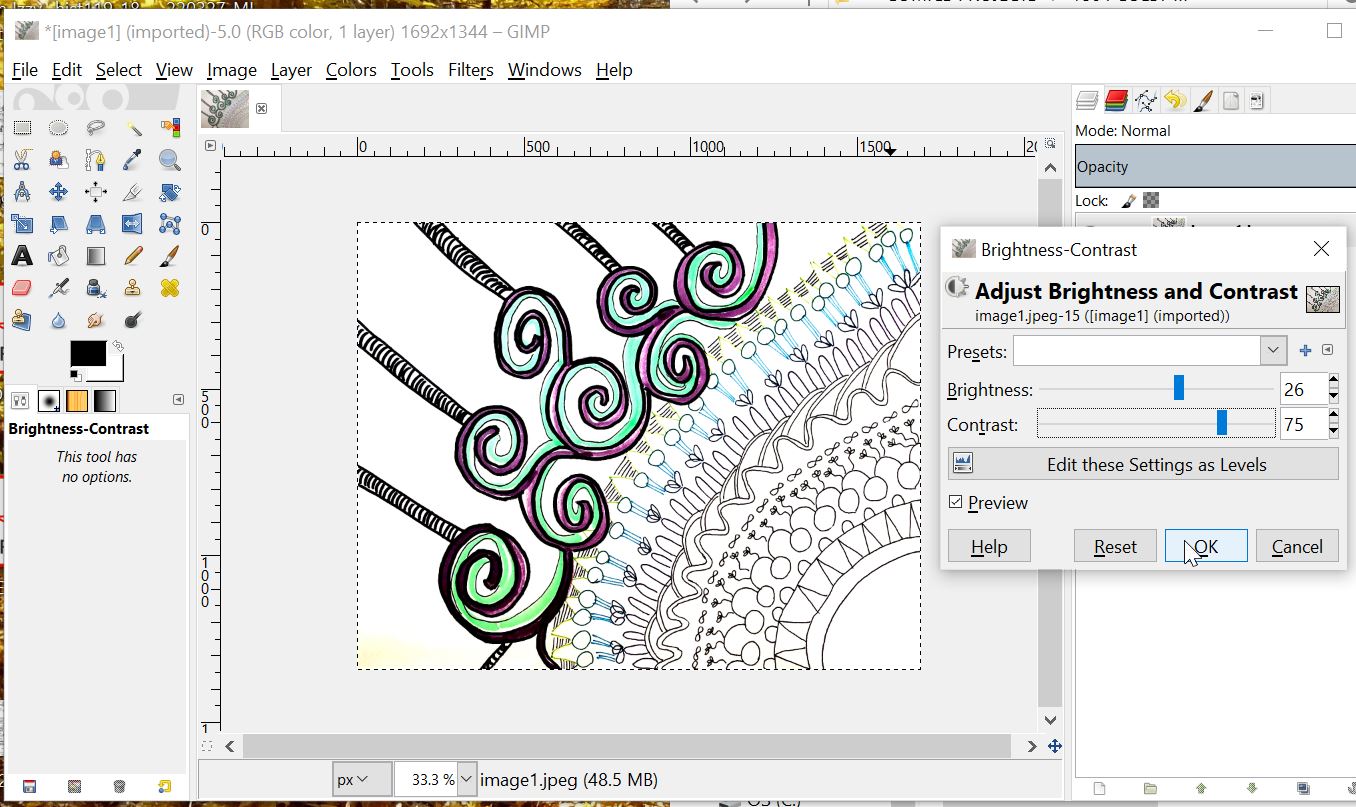
SELECT ALL & COPY to clipboard:
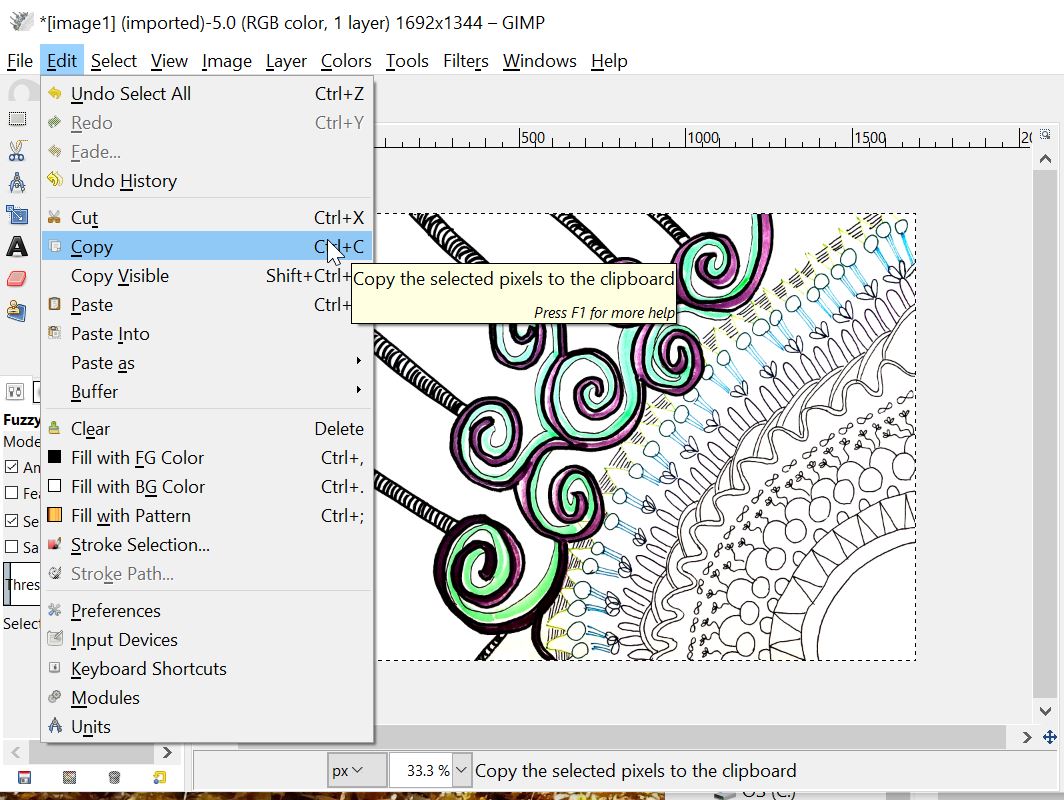
Create NEW image (same dimensions):

SCALE the new image by DOUBLING width & height:
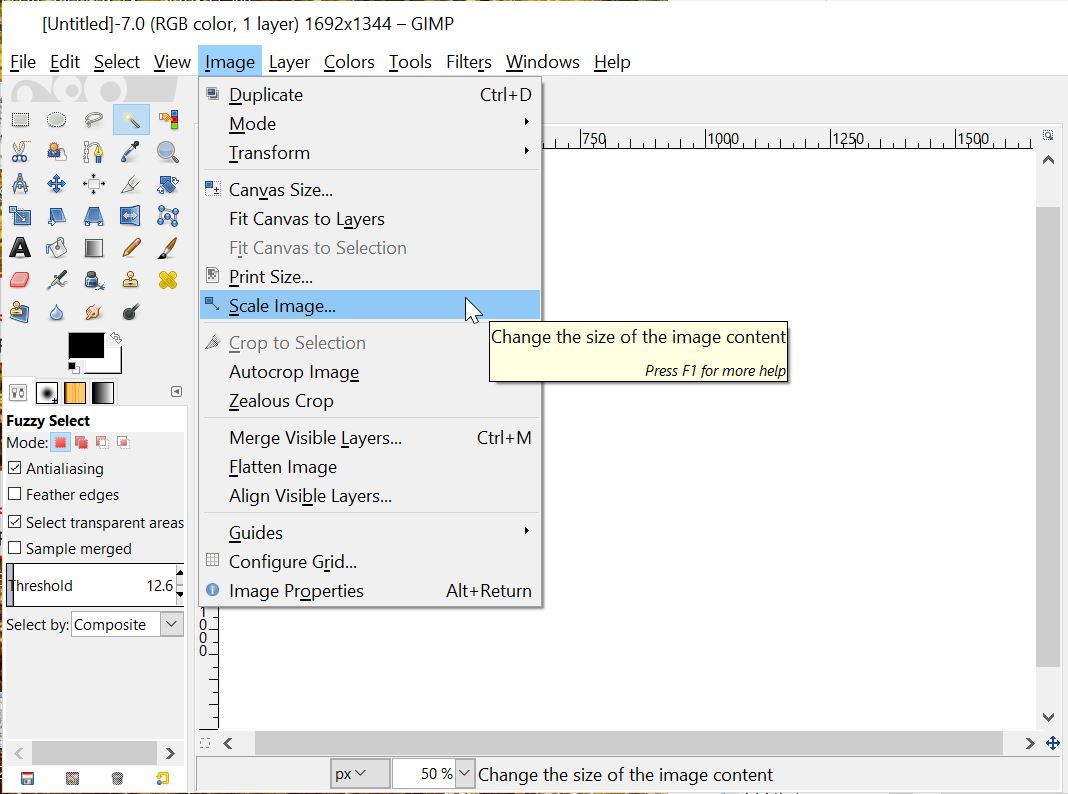
PASTE artwork as a NEW LAYER, & move it into a corner:
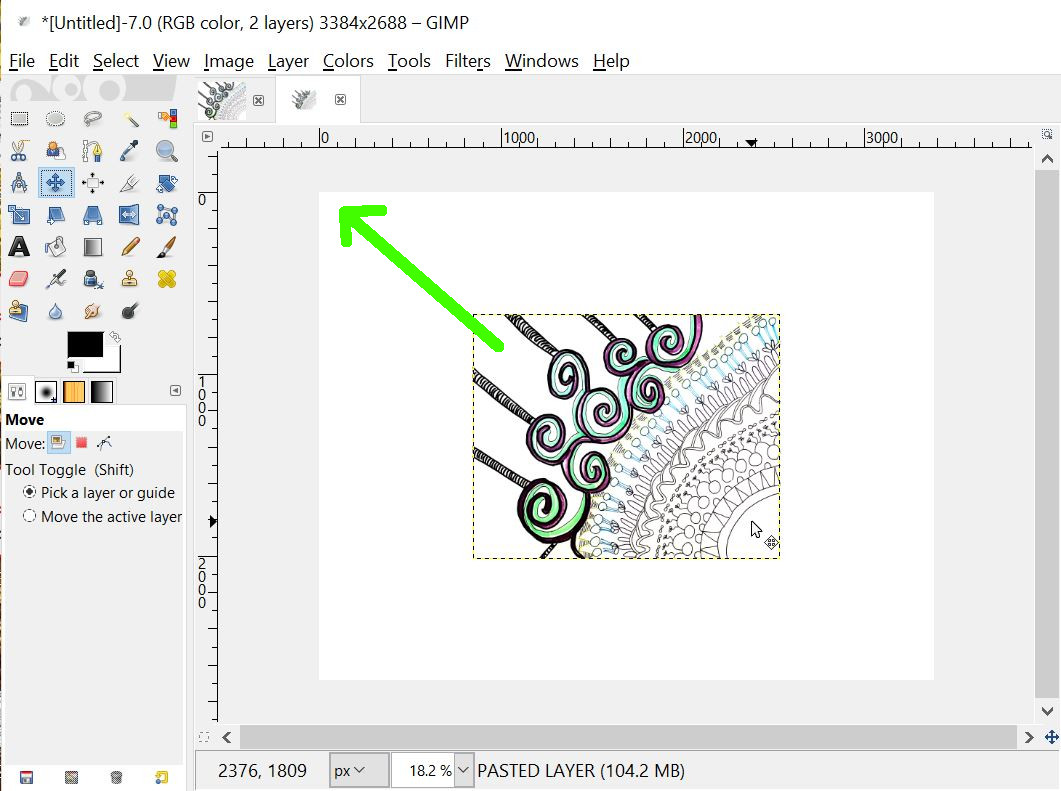
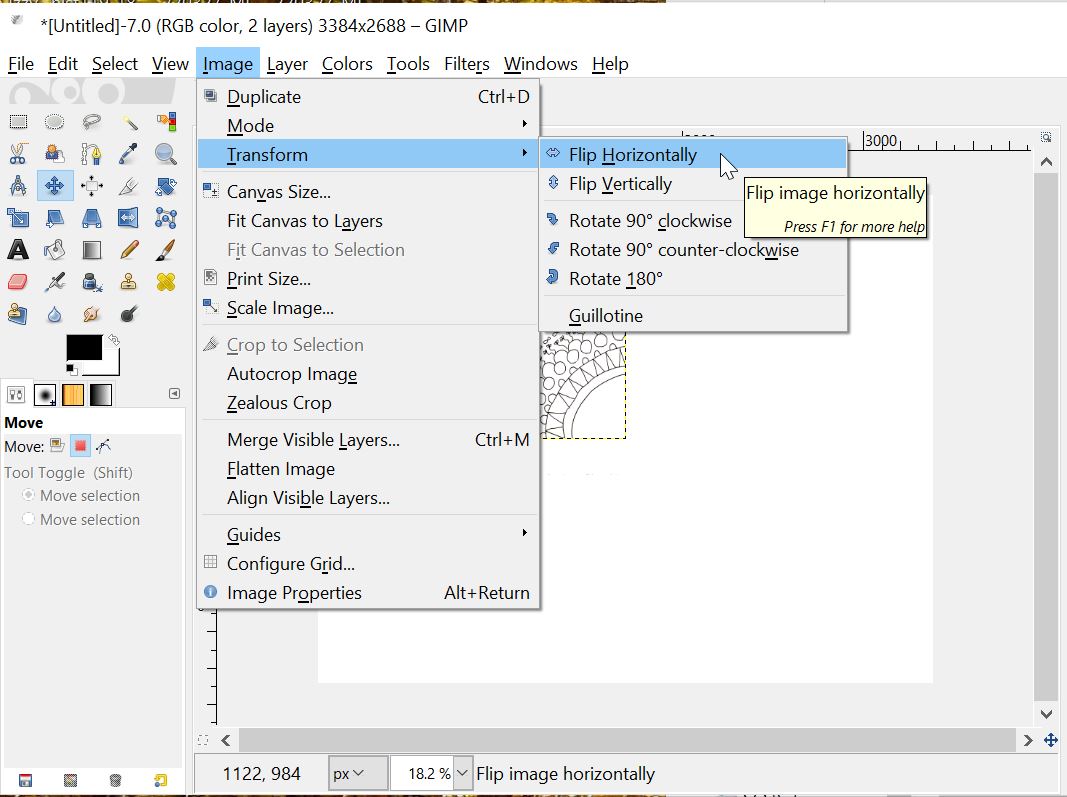
FLIP entire image horizontally:
PASTE artwork again as a NEW LAYER & move it into a corner:
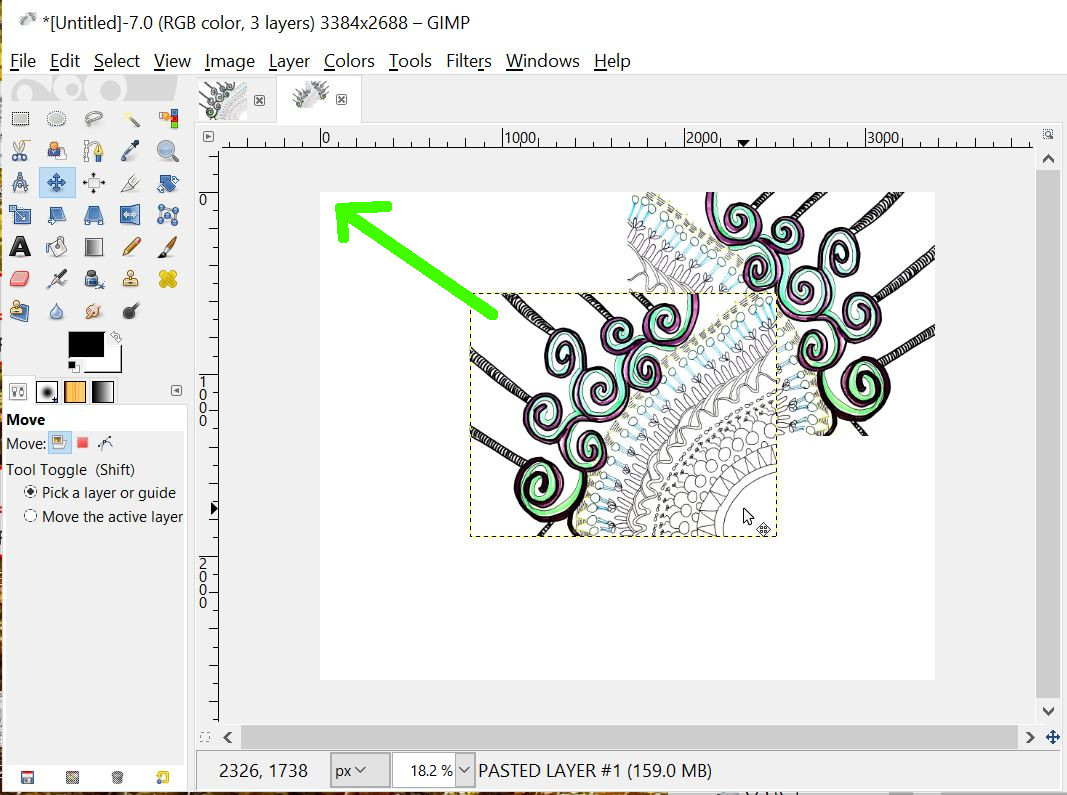
MERGE the pasted artwork into a single layer:

SELECT ALL and COPY that layer:
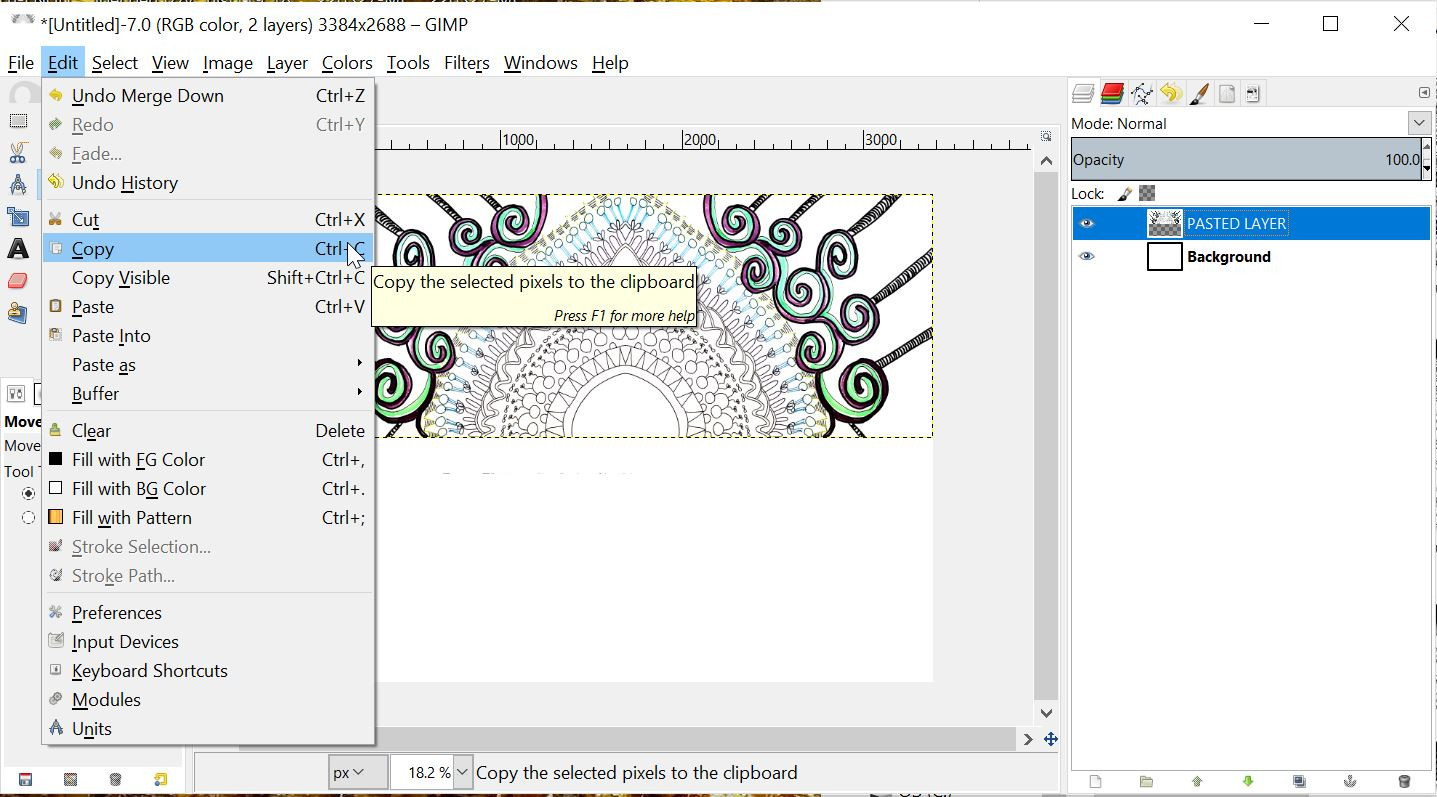
FLIP the entire image vertically:
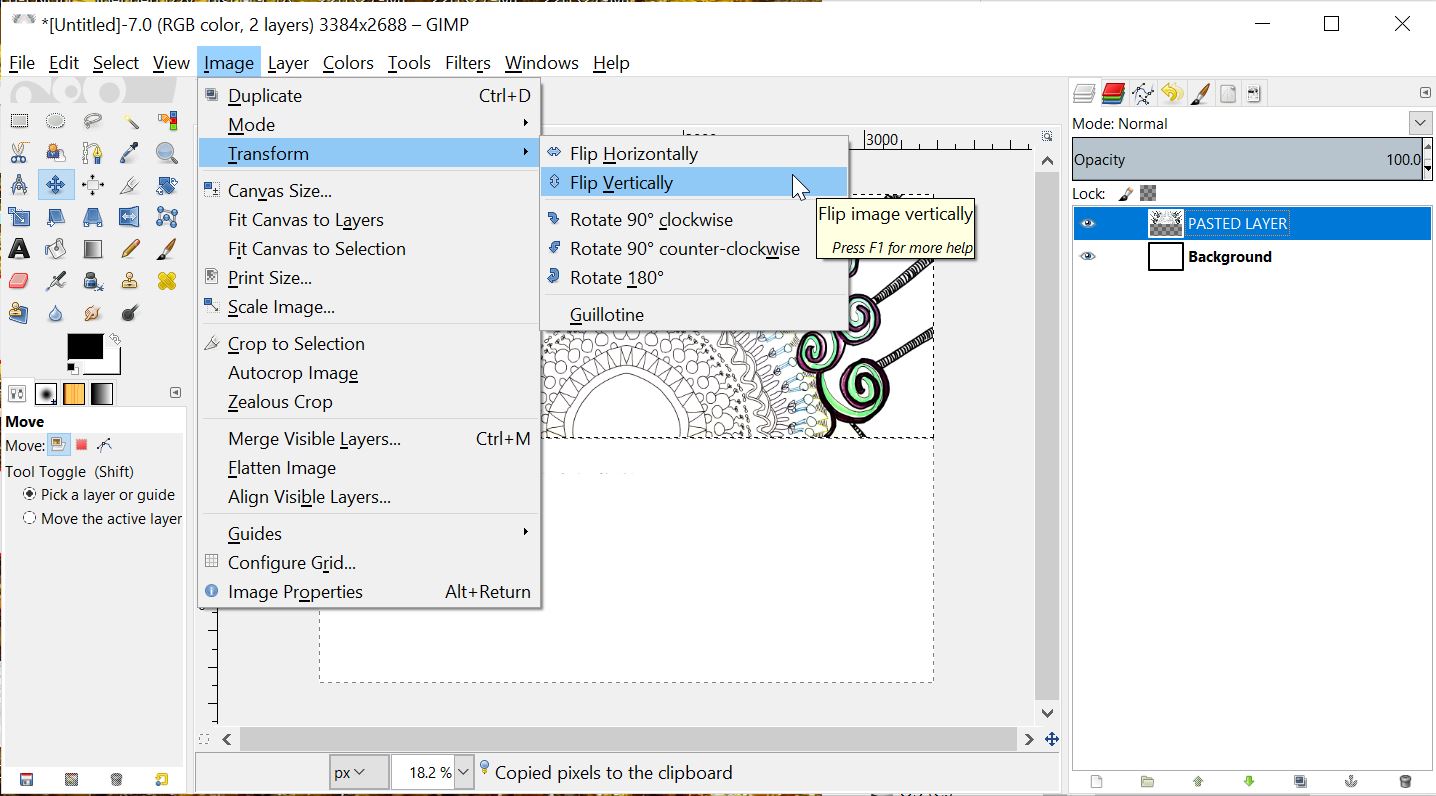
PASTE the artwork again, & slide it into place:
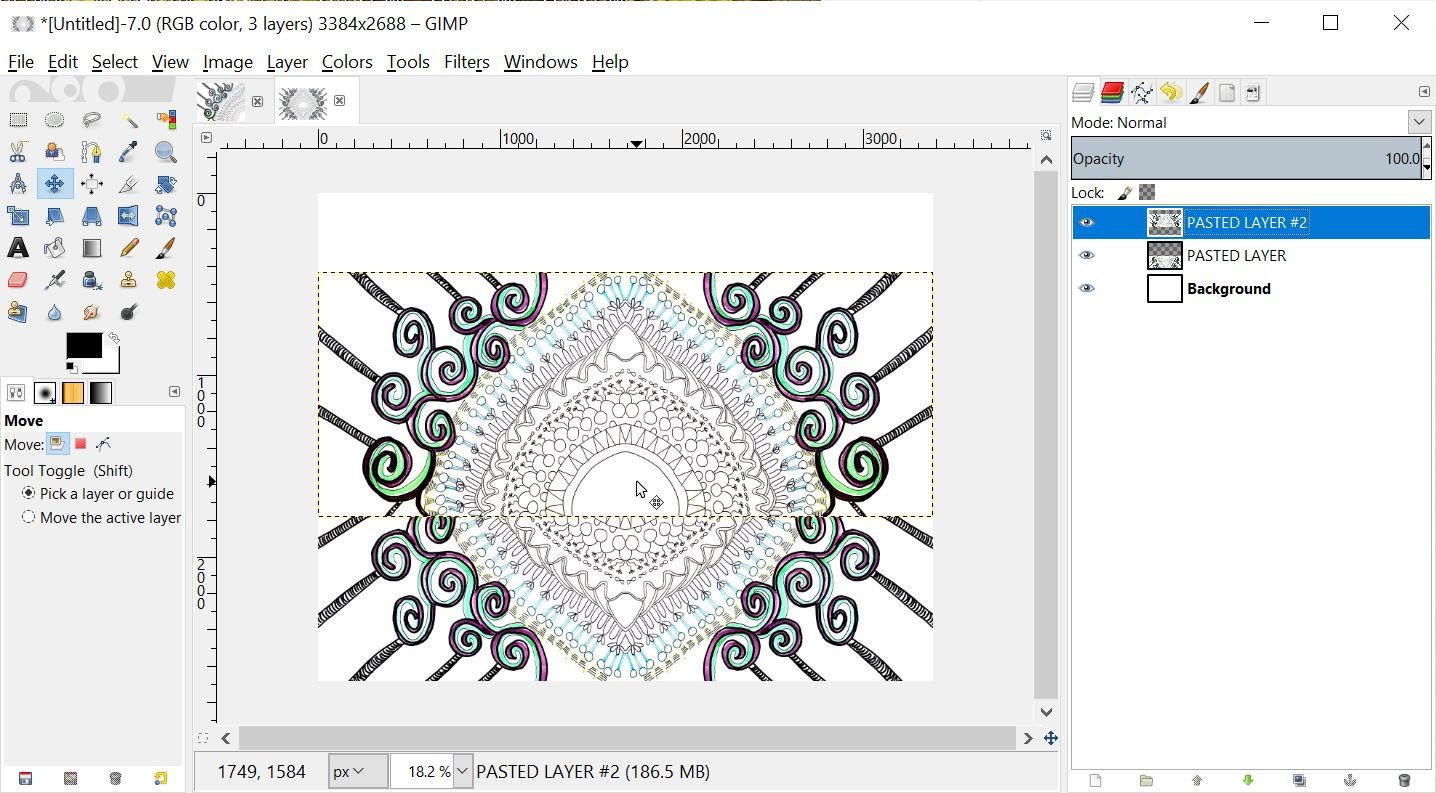
FLATTEN all layers & save the image:
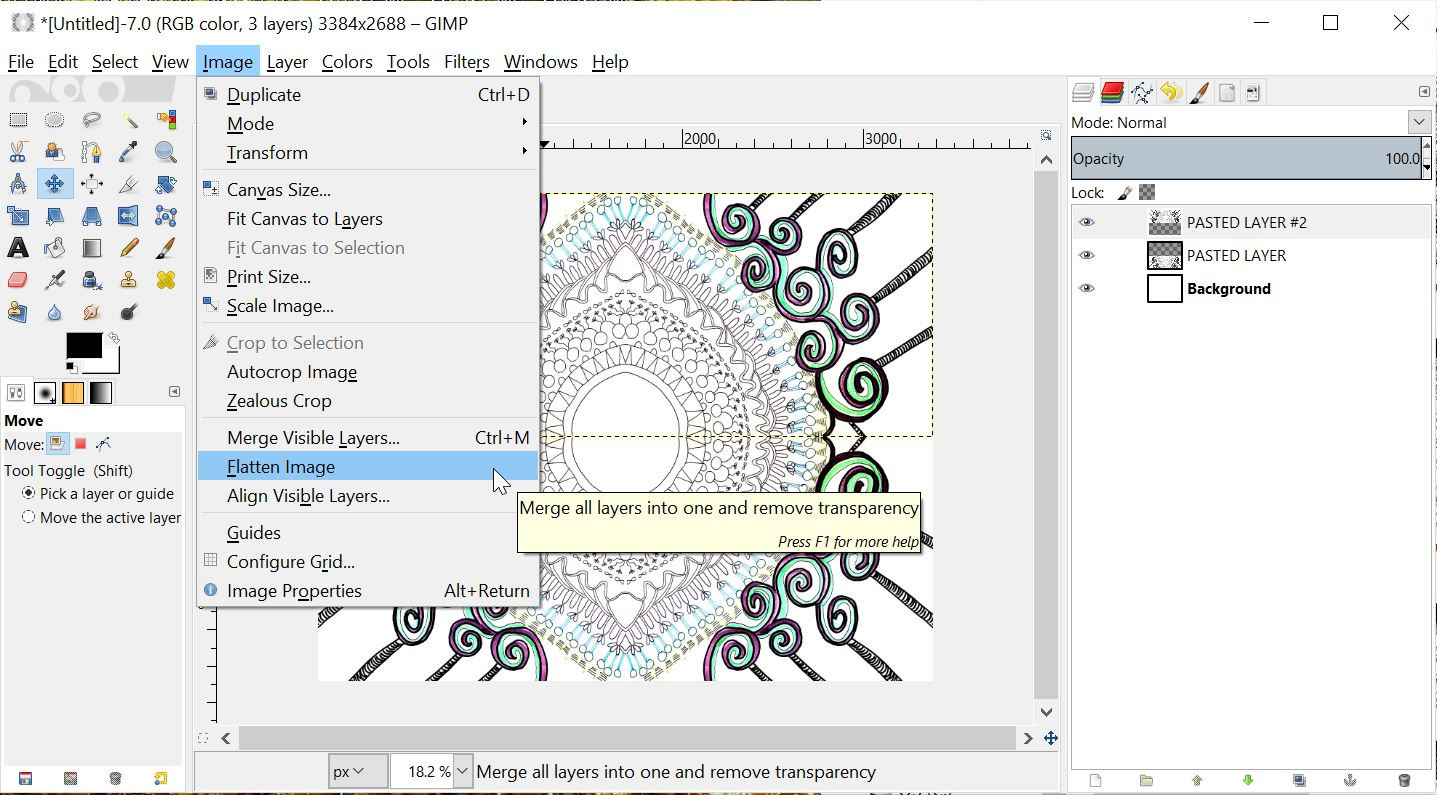
ROTATE and/or CROP the final image as desired:


Thanks to Jen Morris for the use of this cool demo doodle!
MORE MIRROR DOODLE DEMOS >>
Discover more from http://www.MarekBennett.com
Subscribe to get the latest posts sent to your email.

Leave a comment